You have a sales report about twenty products. You need to classify them into four categories based on the sales. A controller may then check the products in the lowest category.
Here we can use QUARTILE formula. Quartile means that we divide the data range into four groups each of them including one fourth of all the values.
So, the controller wants to concentrate on the fourth selling least.
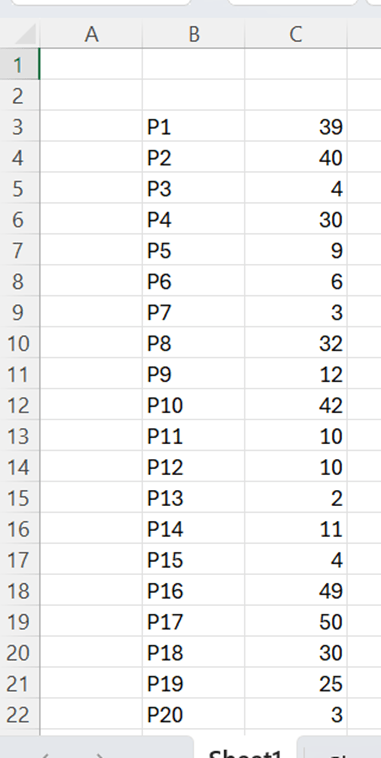
We need to define in the lowest quarter which products have the lowest sales.
To divide data range to quarters happens easily with QUARTILE.EXC function.
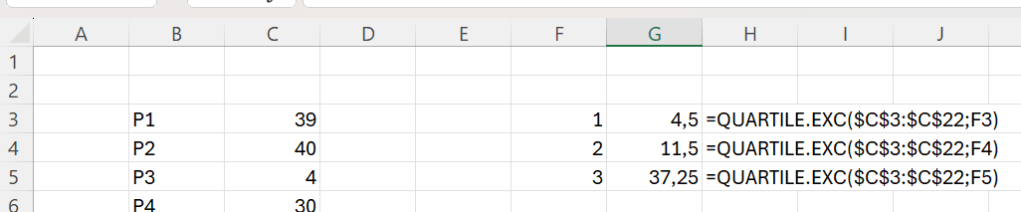
The quartile limits are 4,5; 11,5 and 37,25. The function defines just three values as the fourth one is higher than 37,25.
How many product have been selling less than 4,5 ?
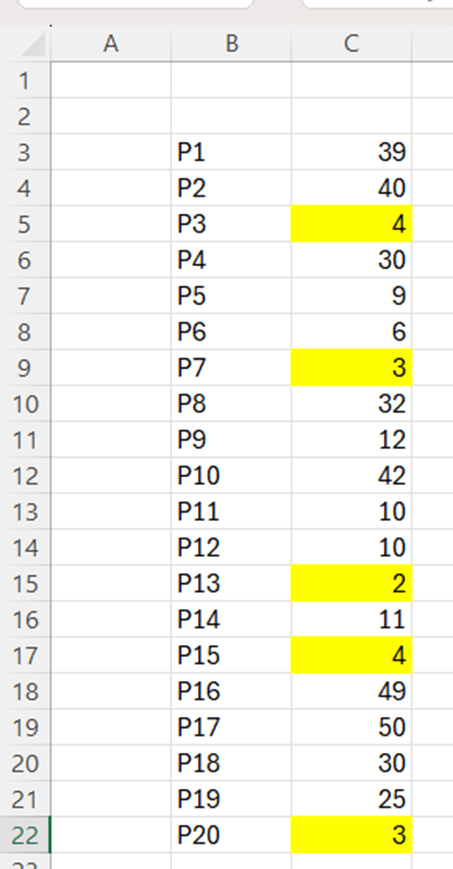
We have five product with sales less than 4,5. It would be better if we had a number next to sales representing into which quartile the product belongs. The higher number means higher sales and higher category.
This is the sentence in D4: =IF(C3<=$G$3;1;IF(C3<=$G$4;2;IF(C3<=$G$5;3;4))).
If C3 value is equal or lower than G3, then the value is one. If C3 value is equal or lower than G4, then the value is two. If C3 value is equal or lower than G5, then then the value is 3. In any other cases, the value is 4.

Now the twenty products are divided into four groups, each of them containing five products. The controller may take a closer look at the category one.
Just to double check, we can still count that there are five products in all the categories.

Each of number from one to four appears five times. Quarterly division works.
Another method to determine the five products with lowest sales, is to use RANK function. Here is a short introduction to RANK.
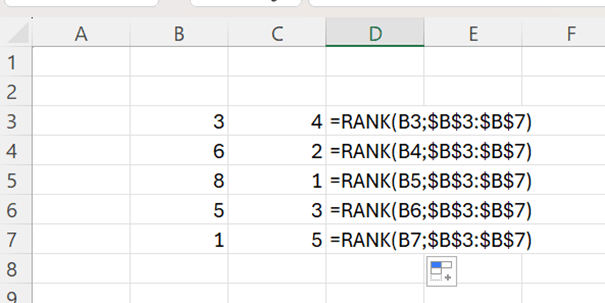
With RANK we are setting rank order for the values in B3:B7. 8 is the highest with value one, 6 is the second highest with two and so on.
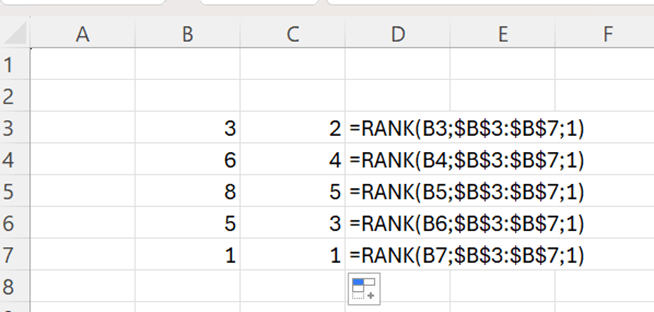
When I add one argument, the rank order is descending, the 8 is the highest with value 5.
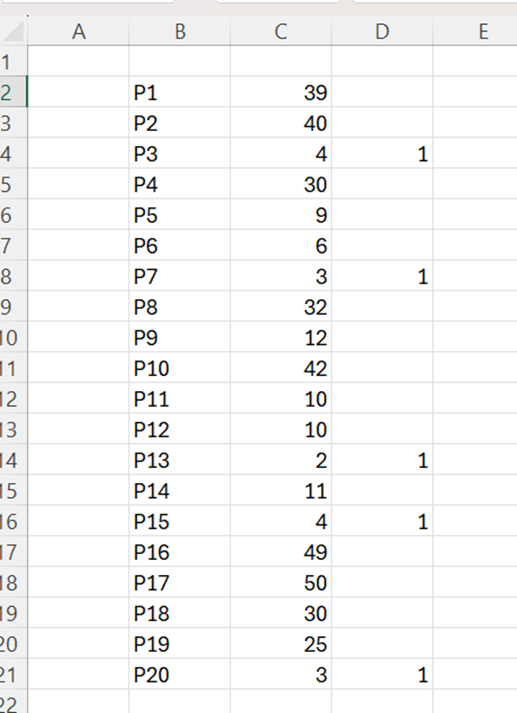
The sentence in D2 is =IF(RANK(C2;$C$2:$C$21;1)<=(COUNT($C$2:$C$21)/4);1;””).
If descending rank for the value C2:C21 is lower or equal than number of all the values in C2:C21 divided by four, then value is one. If statement is not true then value is empty.
Excel sets descending rank values for each cell, if the rank is five or less, then value is one, otherwise the value is zero.
This way we can also find five product with lowest sales.




 My Problem Solving Blog