You have list of dates. In case you keep manually a record per each date. You should find the current date from a list of dates.
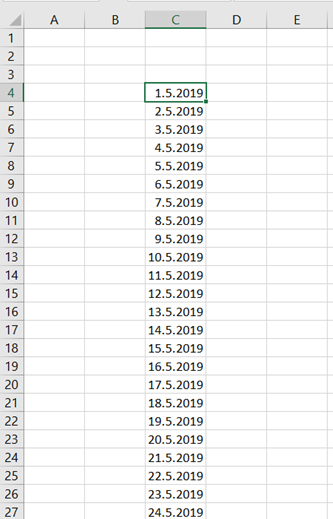
You have a list of dates. For finding the current date, you can manually browse and stop when you find the correct date. To automate the process, a macro can be created which is checking the correct date.

The formula TODAY is returning the current date. The value is stored in the cell F1.
The macro itself is here:
Sub z_today()
Dim tod As Date
tod = Range(“f1”).Value
Range(“c4”).Select
Do
If ActiveCell.Value = tod Then
MsgBox “Today is ” & tod & “.”, vbOKOnly, “Own macro”
End
Else
ActiveCell.Offset(1, 0).Select
End If
Loop
End Sub
The variable tod is taking the value from the cell F1. The macro activates the cell C4 and compares that to F1. If the value is the same, meaning the cell in C-row holds the current date, then the macro pops up the message box and ends execution. If the current date was not found, then the macro takes on step downwards and compares the values again.

When you execute the macro, the macro finds the current date and you don’t have to visually browse the data area.
 My Problem Solving Blog